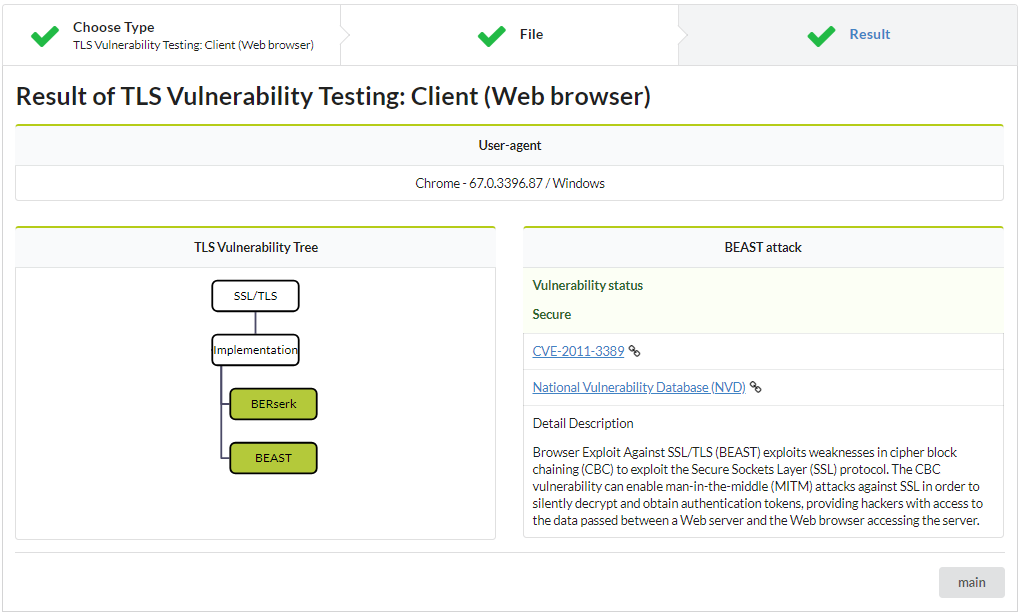
Browser Security sCanner with Automatic detectioN (BSCAN) is a tool for scanning TLS vulnerabilities in the client web browser, which is capable of detecting specific TLS vulnerabilities in web browser the client uses efficiently.
The tool can detect 2 TLS vulnerabilities.
The research paper: The research paper: "(In-)Security of Cookies in HTTPS: Cookie Theft by Removing Cookie Flags"
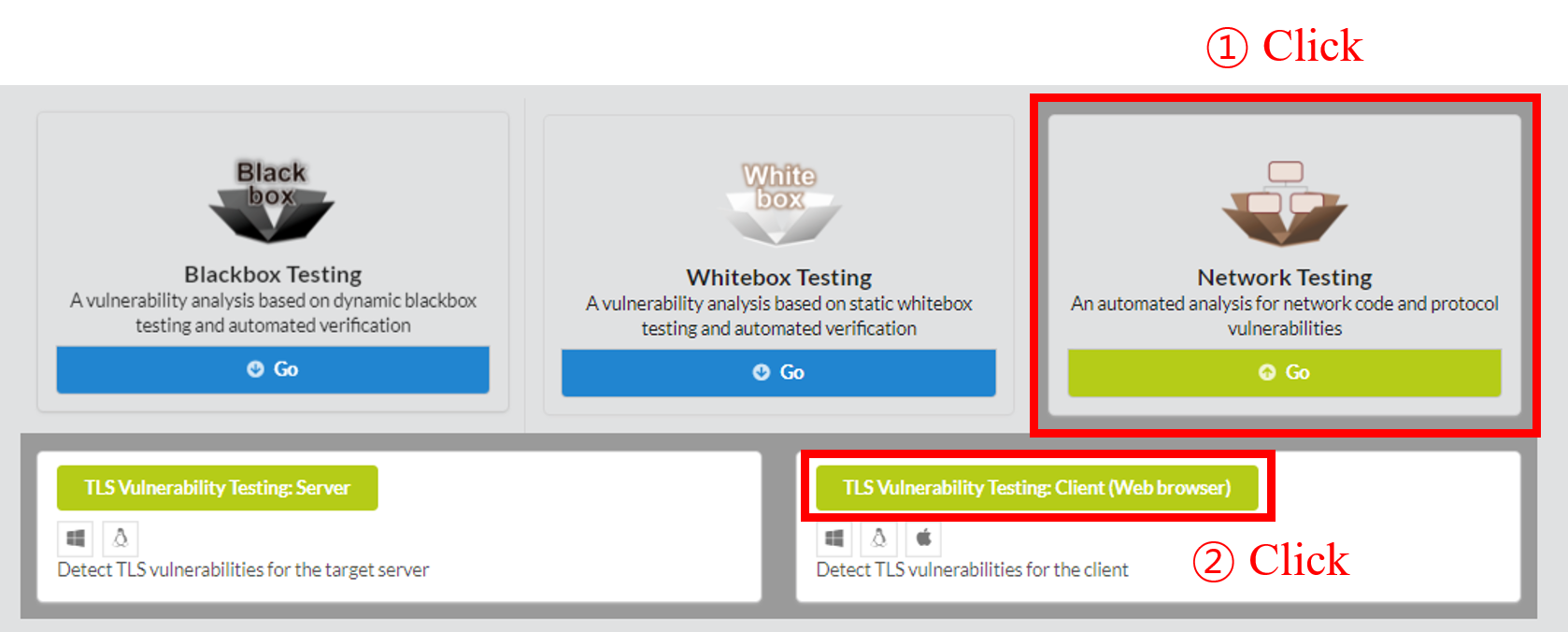
To begin BSCAN, click Network Testing in the main page of IoTcube, then proceed by clicking TLS Vulnerabilities Testing: Client (Web browser).
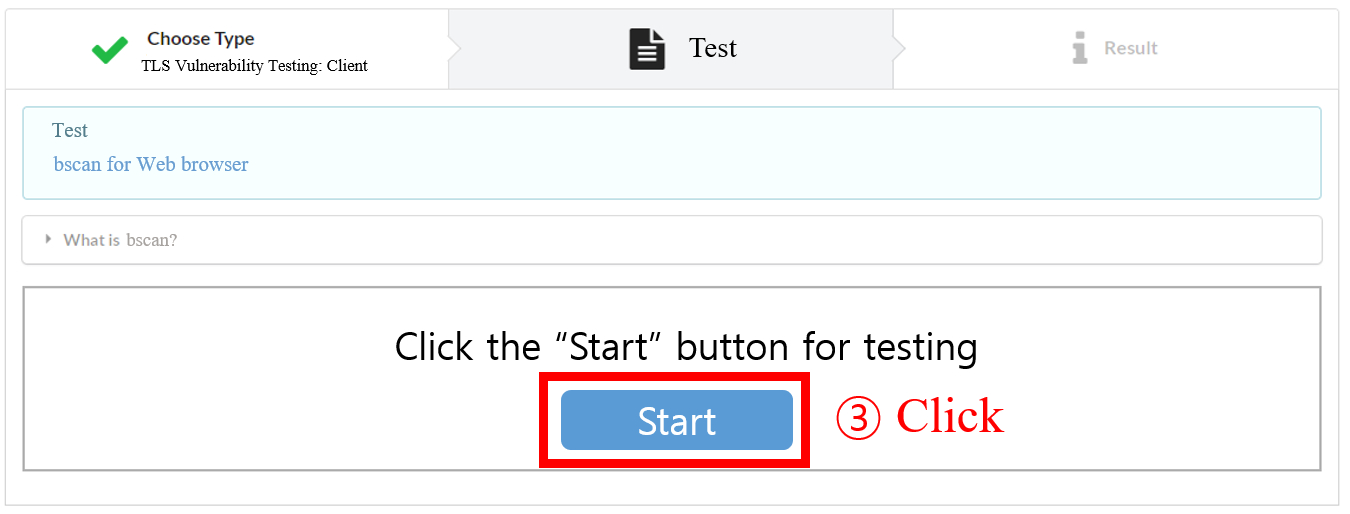
You can run BSCAN just by pressing the Start button.
BSCAN provides you the result of the analysis.
The result shows detected vulnerabilites in the client web browser and the descriptions of TLS vulnerabilities. It is visualized in tree architecture to effectively show the state of the web browser. User also can check more information about the vulnerability on the right screen.