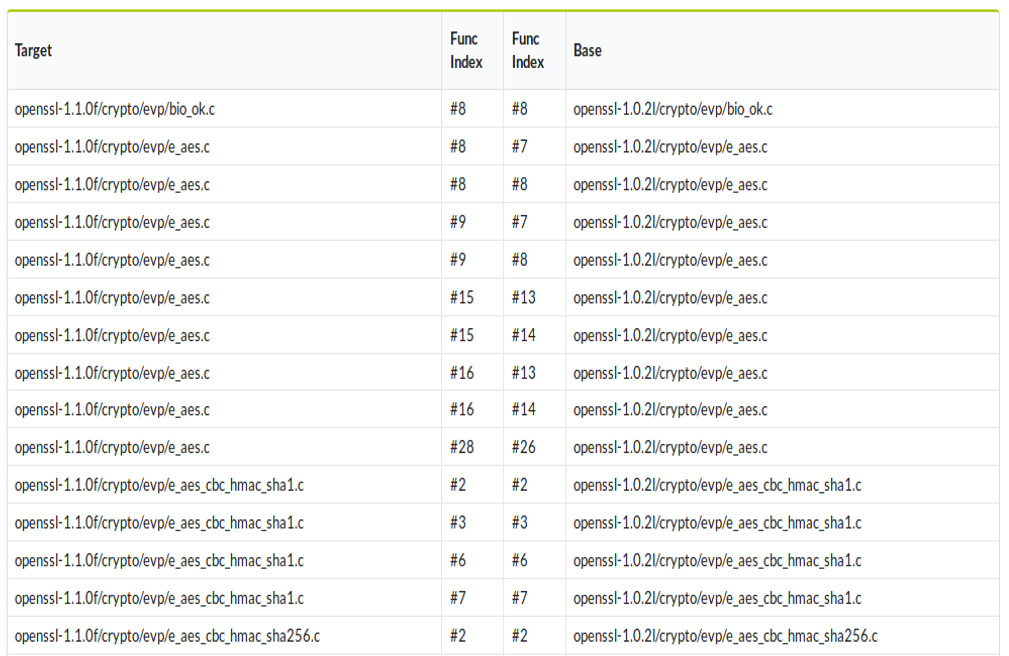
Code Similarity Analysis is an approach for the scalable detection of similarity code clones between softwares, which are capable of detecting similar source codes in large software programs efficiently and accurately.
The research paper: V0Finder: Discovering the Correct Origin of Publicly Reported Software Vulnerabilities
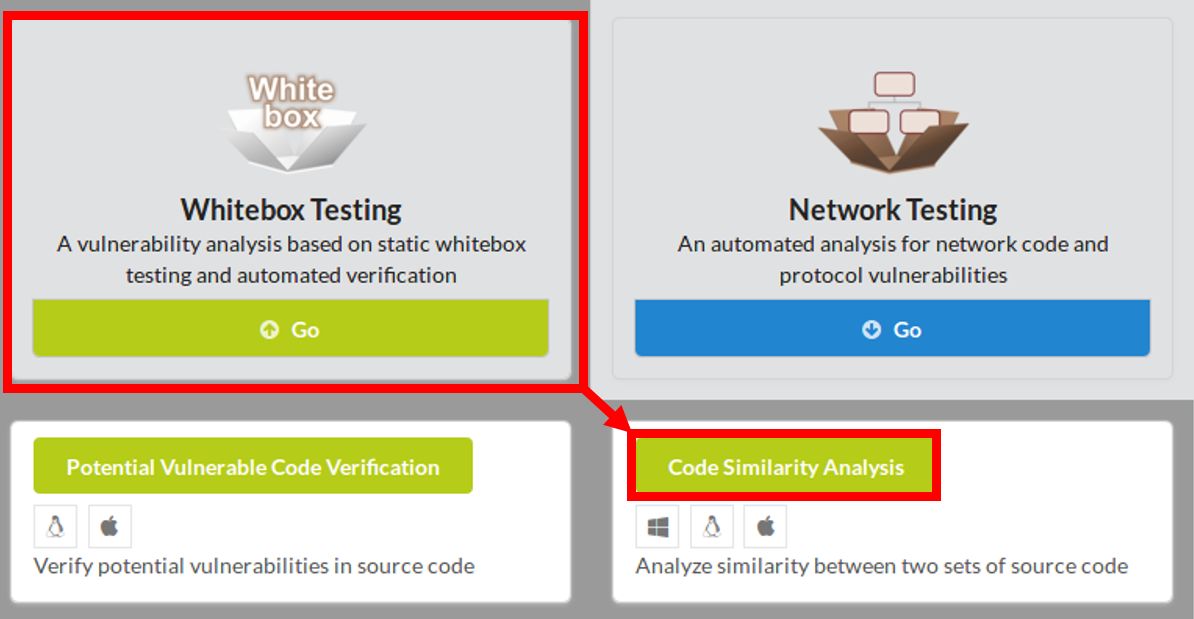
To begin Code Similarity Analysis, click Whitebox Testing in the main page of IoTcube, then proceed by clicking Code Similarity Analysis.
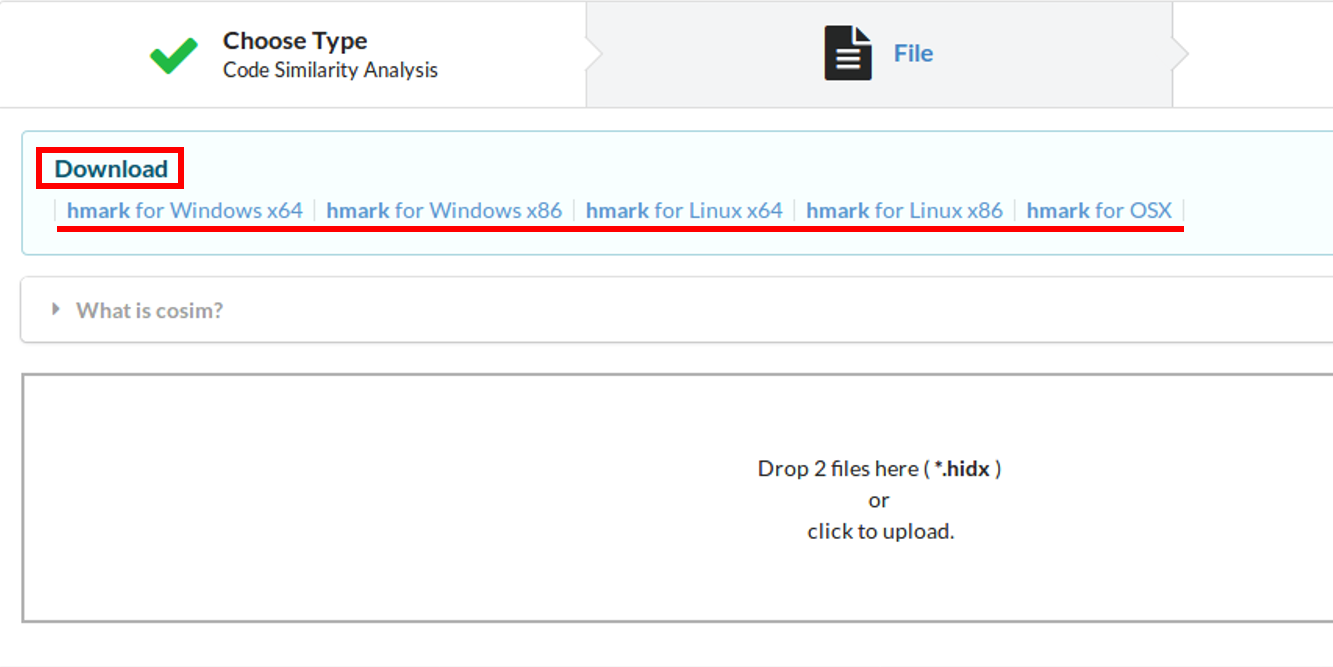
In the I/O page, download hmark, which is a preprocessor for the target program.
MS Windows (32 and 64 bit), Linux (32 and 64 bit), and Mac OSX are supported.
With the downloaded hmark, you can convert your C/C++ program into a ".hidx" file by following the directions below.
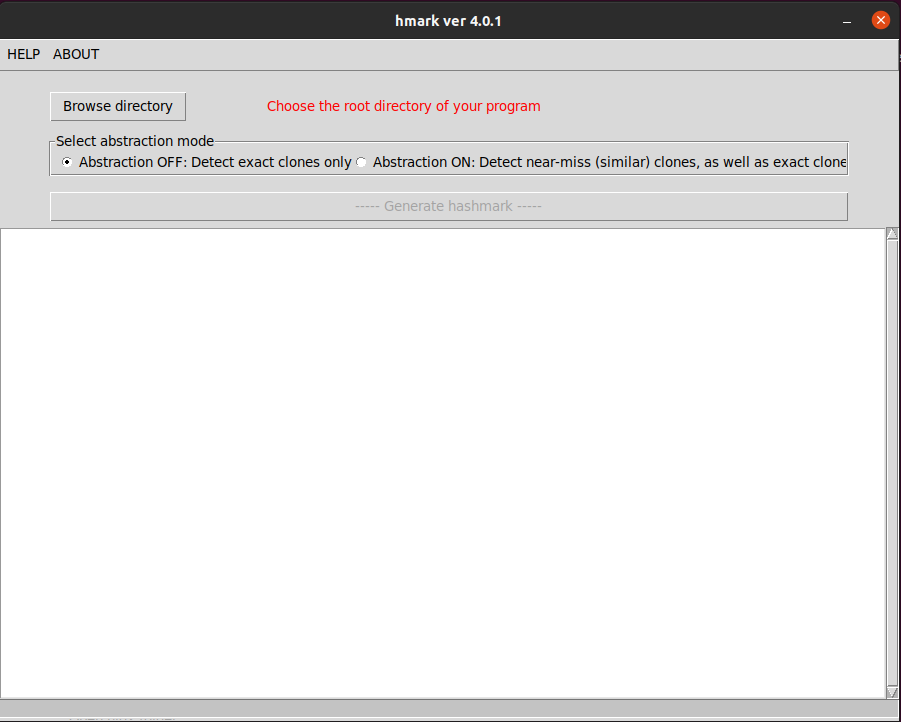
You can check the progress through the listbox and the progress bar, while generating the hash index.
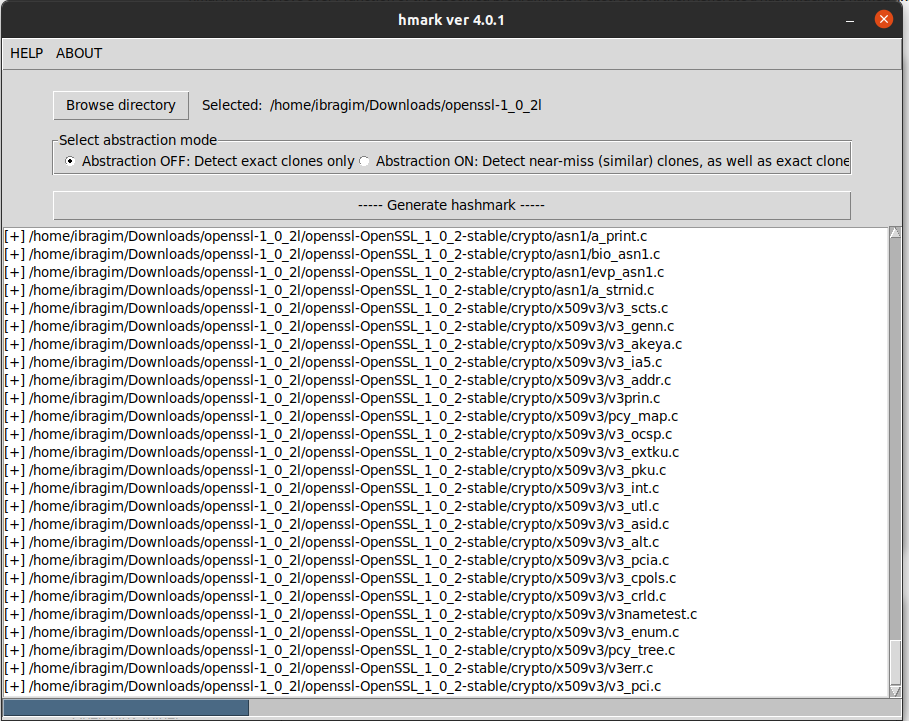
When hash index generation is complete, the file is stored under ~/PATH/TO/hmark/hidx/ directory.
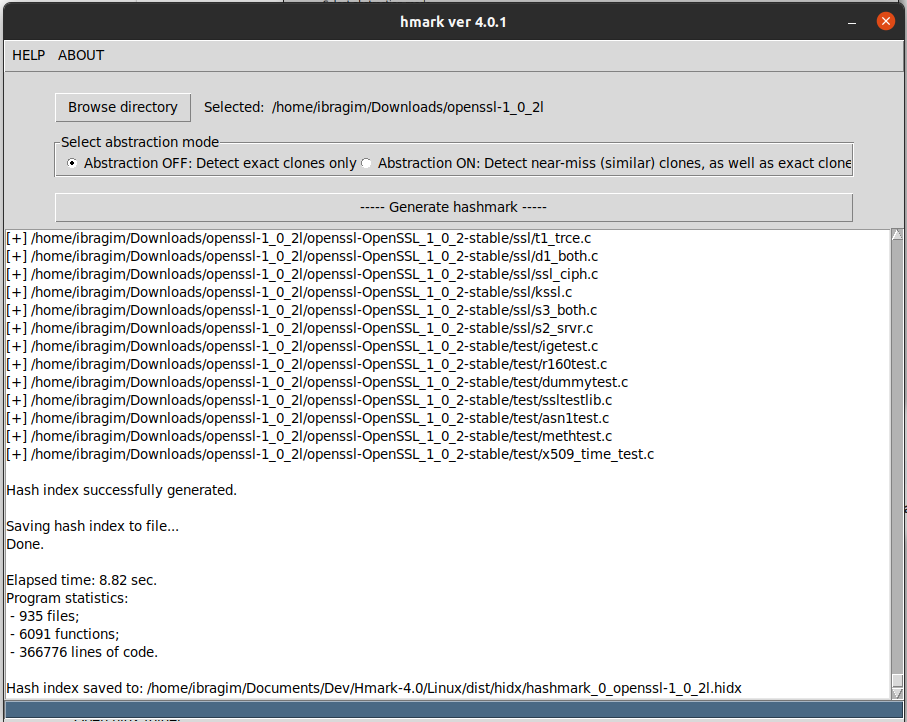
Note that you have to make two hash index files for calculate similarity.
Upload the generated hash index files either by dragging & dropping the files into the upload box, or by selecting from a file dialog.
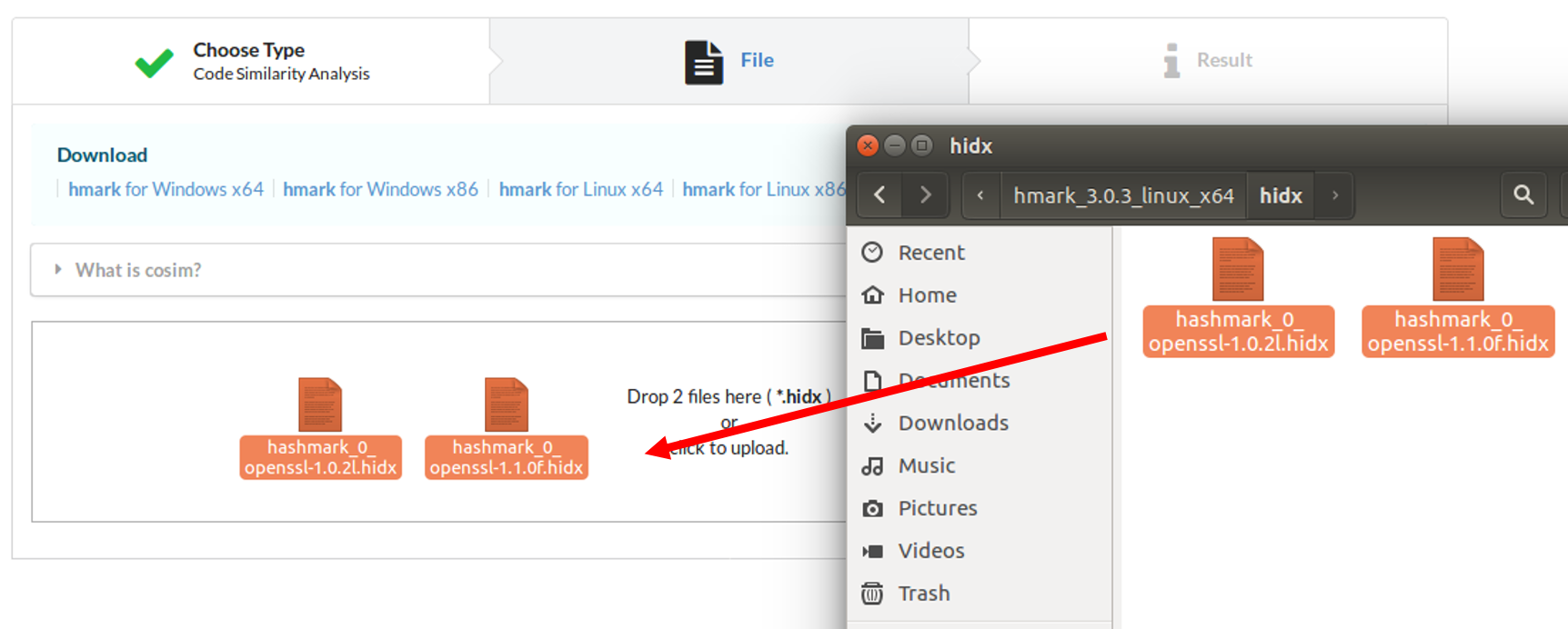
IoTcube automatically proceeds to the result page when the upload is complete.
Code Similarity Analysis provides you with various types of analysis.
The number of total functions of two projects are shown, and also show the common functions between two projects. The bar graph shows how many functions in the first project match with the second project visually.
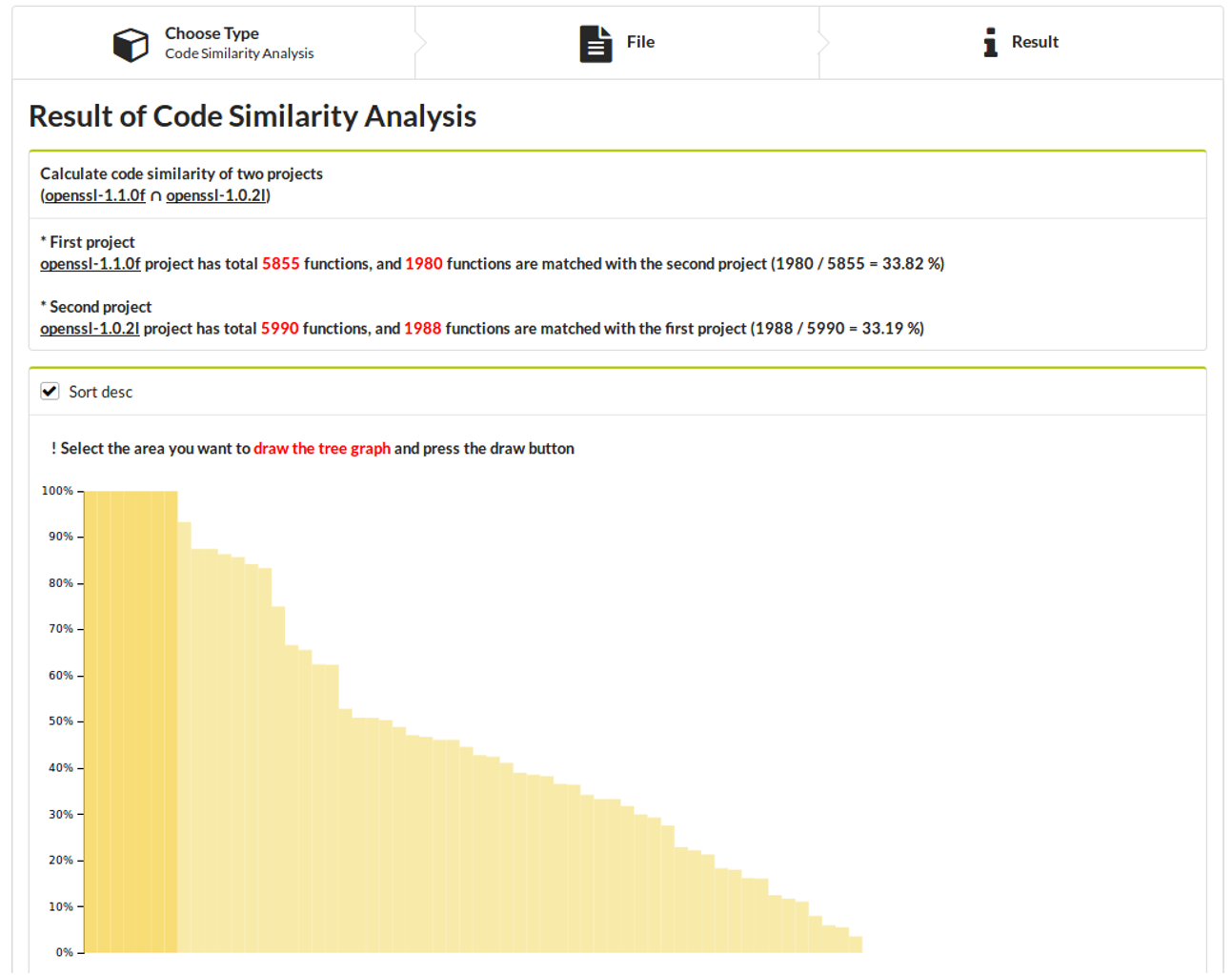
You can also select the area that you want to see using tree.
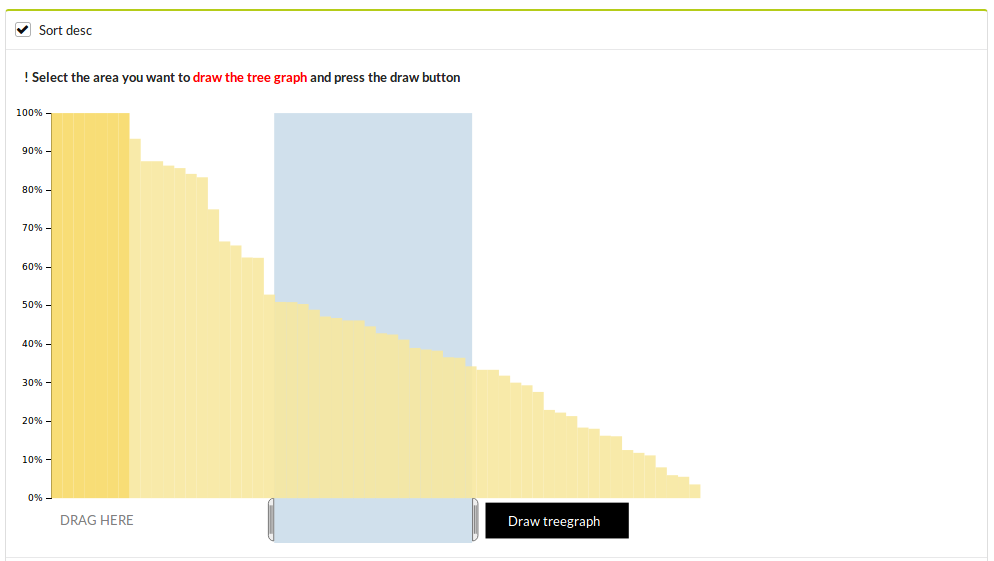
Select the area of bar graph and click the Draw tree button, then the tree is shown. Each leaf node corresponds to a directory, and the numbers in the leaf nodes denote the number of matched functions in the directory.
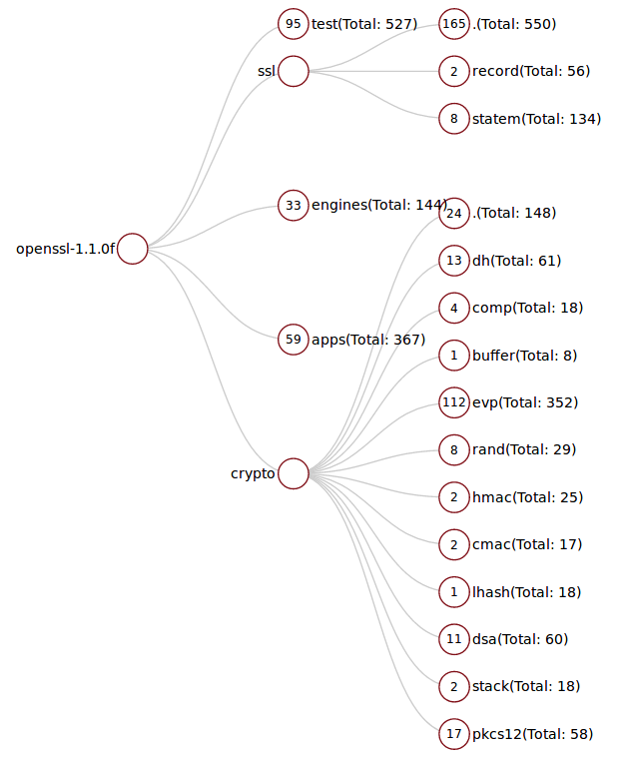
Clicking a leaf node, IoTcube shows a detailed information of the matched functions.