DDInfer is a static bug-finder for C/C++ project. It takes the project with source codes and build command such as clang, then performs a performance-boosted disjunctive analysis with state-selection heuristic that automatically constructed in data-driven approach.
We provide ddInfer environment as a docker image.
Please install a docker engine (https://docs.docker.com/engine/) before prepare analysis.
ddinfer requires three components:
For example, building the entire "gzip-5.1.0" project typically requires two commands: "./configure; make". In this case, "project_folder" will refer to "gzip-5.1.0", while "build_setup.sh" will be a file containing the single command "./configure", and build_command.txt" will contain the single word "make".
As another example, the "bluez-5.55" project requires package installation, so "build_setup.sh" should contain two commands, apt-get install and configure : $ apt-get install -y libglib2.0-dev libdbus-1-dev libudev-dev udev libical-dev libreadline-dev systemd; ./configure --prefix=/usr --mandir=/usr/share/man --sysconfdir=/etc --localstatedir=/var and "build_command.txt" should contain a line with single command "make". Installation command like "make install" is unnecessary.
NOTE: If you follow above example, do not use "CRLF" (\r\n) character instead of "LF" (\n) character for newline character, which might be appeared by drag-copy-paste above commands. If not, you might suffer with unwanted characters such as "\r" in "build_setup.sh" file or "^M" in generated "bluez-5.55/config.h" file. To seek any suspicious character such as ^M exists in build_command.txt in vim editor, use ":e ++ff=unix" command (refer to https://stackoverflow.com/a/10280014).
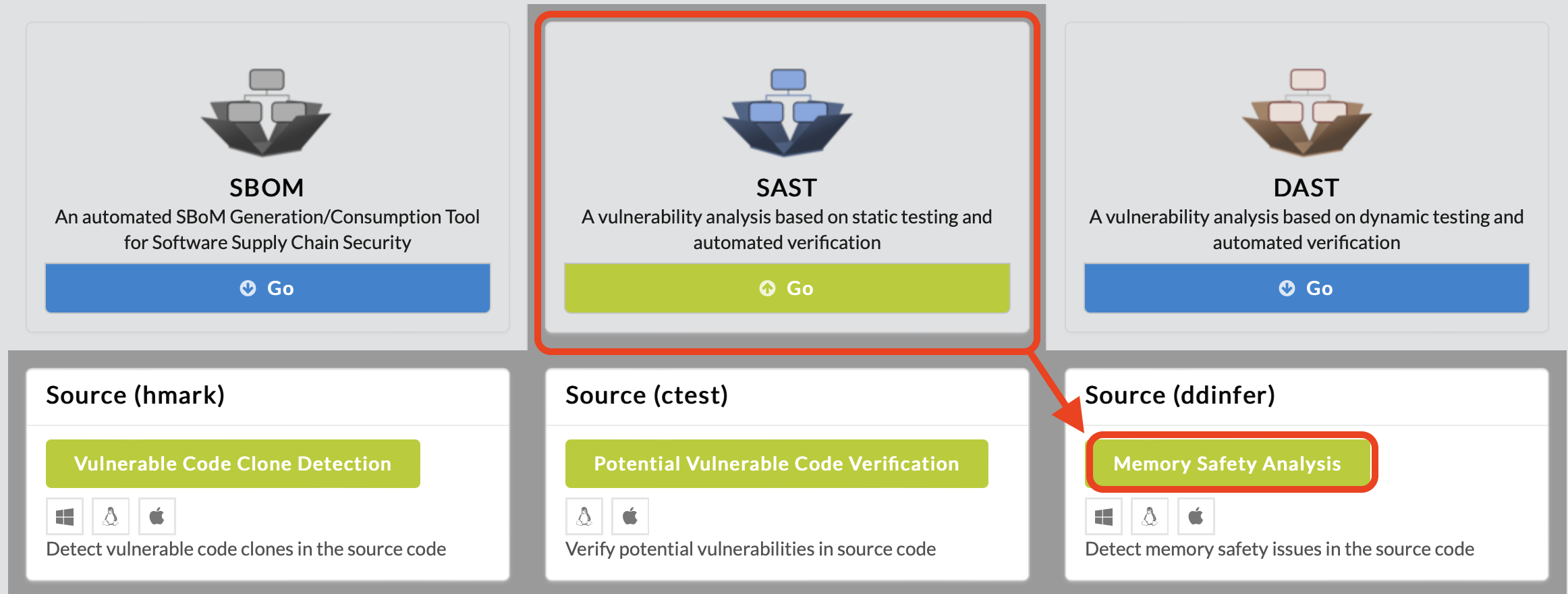
To begin memory safety analysis, click SAST in the main page of IoTcube, then proceed by clicking Memory Safety Analysis.
In the following page, download ddinfer.tar (docker image), which is a virtual environment image contains ddinfer binary and its dependencies installed.

First, load the docker image ddinfer_1_0_0.tar.
$ docker load < ddinfer_1_0_0.tarThe loaded image's name will be "ddinfer" and its tag has some digits of version, such as "1.0.0". Check the loaded image's name using the command "docker image list".
$ docker image list
Second, create docker container using image's name and tag value.
$ docker run --cap-add=SYS_TIME -dit ddinfer:1.0.0Created docker container has its own container-ID, such as "fafa1b45". Check the created container's ID using the command "docker ps -a".
$ docker ps -a
Lastly, copy prerequisites for ddinfer analysis to docker container.
$ docker cp project_folder fafa1b45:/project_folder
$ docker cp build_setup.sh fafa1b45:/build_setup.sh
$ docker cp build_command.txt fafa1b45:/build_command.txt
First, get into the docker container's shell.
$ docker exec -it fafa1b45 /bin/bash
In docker container shell, run /ddinfer.sh script with the project_folder name.
$ source ddinfer.sh /project_folderReport file "report.json" file will be located at the root directory after ddinfer analysis done.
After build-prerequisites installation and ddinfer analysis done, exit.
$ exit
Copy report file from docker container to local environment.
$ docker cp fafa1b45:/report.json report.jsonIf you want to stop or remove docker container resource, use "docker stop fafa1b45" or "docker rm fafa1b45" command.
$ docker stop fafa1b45
or
$ docker rm fafa1b45
Upload the generated report.json file either by dragging & dropping the file into the upload box, or by selecting from a file dialog.
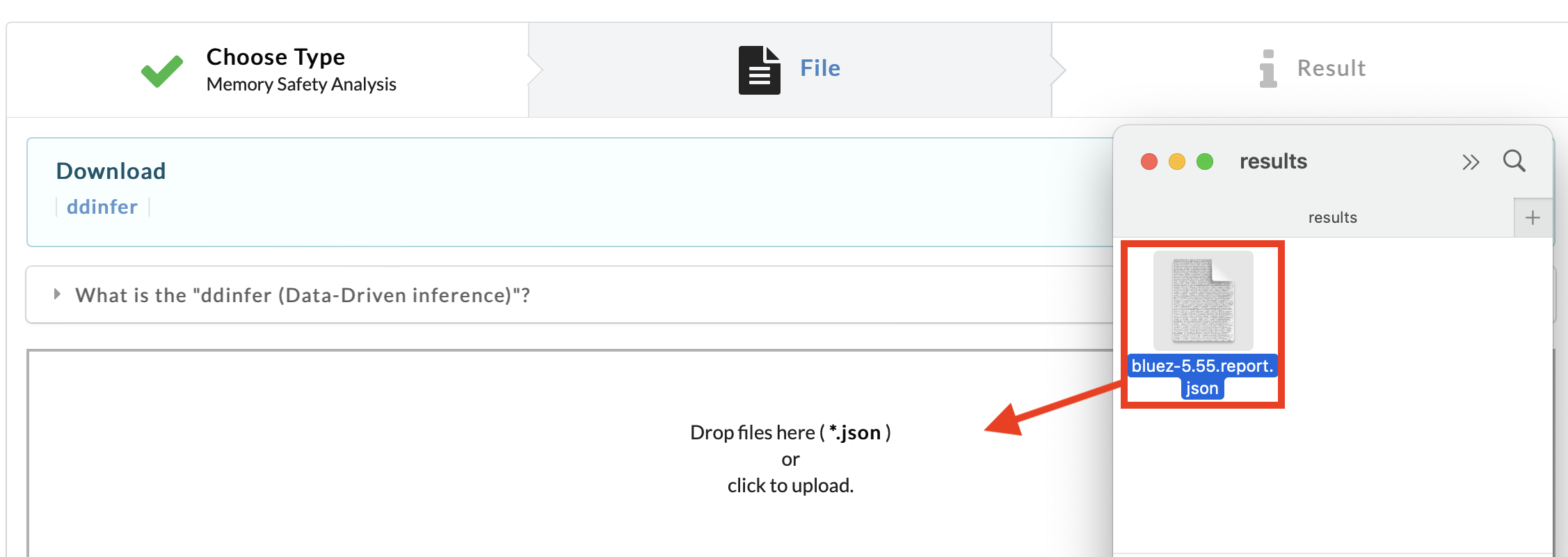
IoTcube automatically proceeds to the result page when the upload is complete.