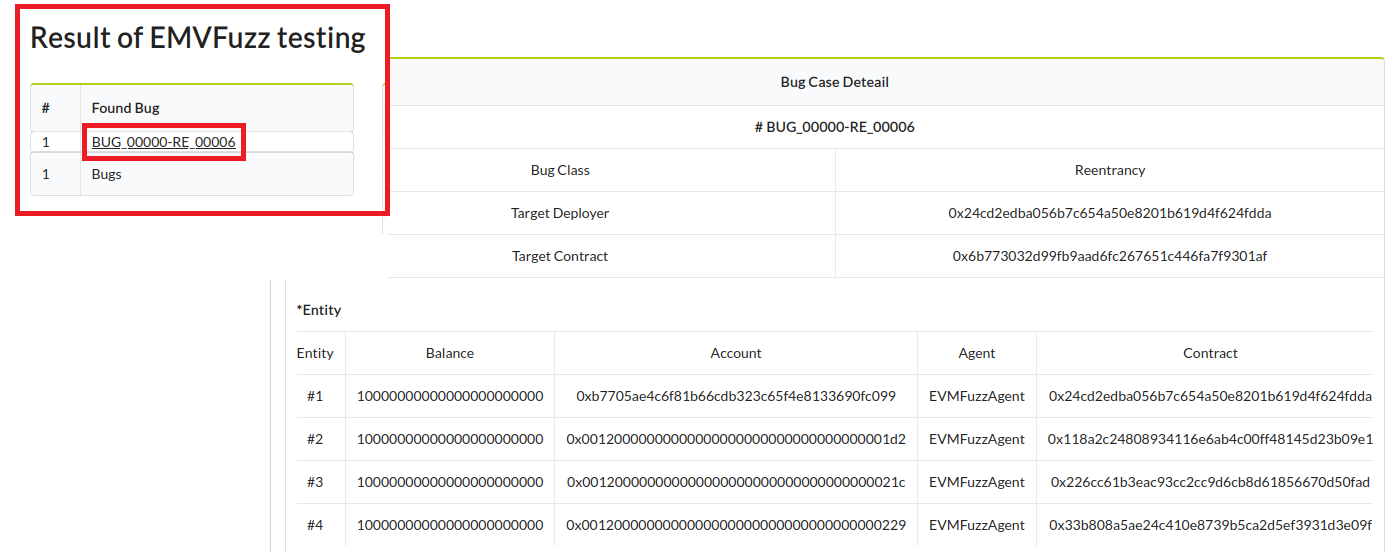
evmfuzz leverages static and dynamic data-flow analyses to enhance the effectiveness of fuzzing. evmfuzz support EVM bytecode(compiled by solc-0.4.25).
evmfuzz can find 13 types of bug class.
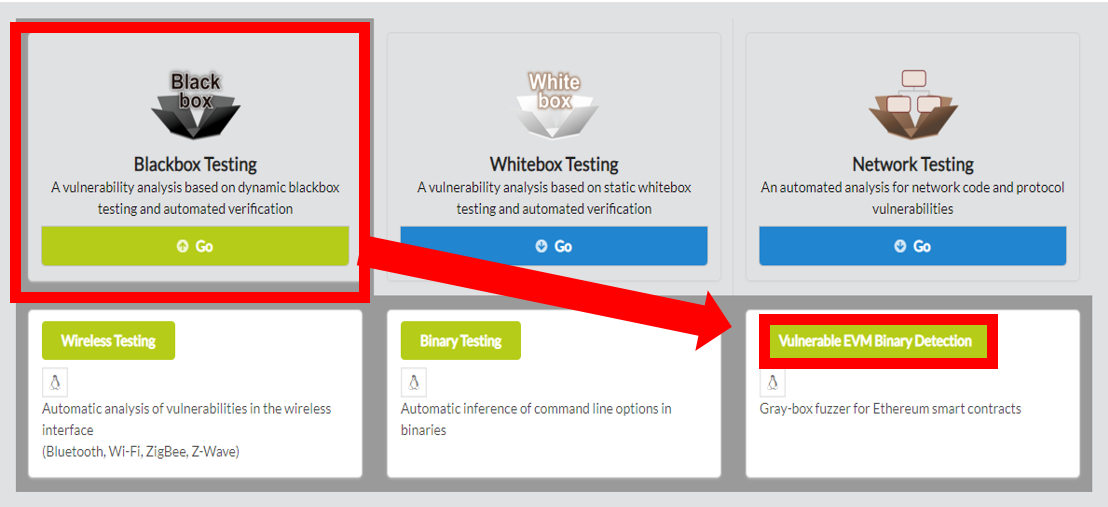
evmfuzz, click on Blackbox Testing in the main page of IoTcube, then proceed by clicking on Vulnerable EVM Binary Detection.
In the I/O page, download evmfuzz
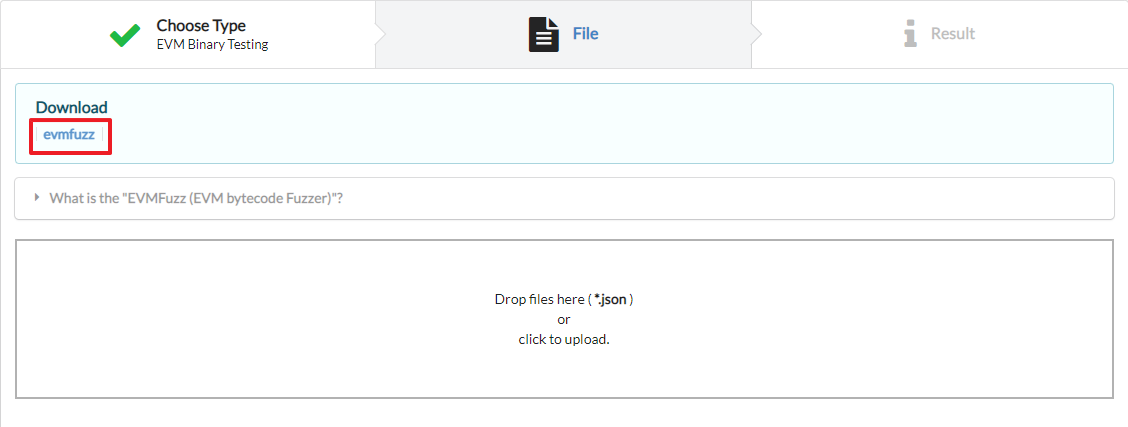
evmfuzz can be used on any operating system that supports dotnet5.0.
To run, dotnet 5.0 runtime must be installed.
It can be downloaded at https://dotnet.microsoft.com/en-us/download/dotnet/5.0
Ubuntu : https://docs.microsoft.com/ko-kr/dotnet/core/install/linux-ubuntu
If the operating system is ubuntu 20.04, you can download it as follows.
$ wget https://packages.microsoft.com/config/ubuntu/20.04/packages-microsoft-prod.deb –O packag-es-microsoft-prod.deb

$ sudo dpkg –i packages-microsoft-prod.deb

$ rm packages-microsoft-prod.deb

$ sudo apt-get update

$ sudo apt-get install -y aspnetcore-runtime-5.0
After completing the dotnet execution environment, unzip the downloaded evmfuzz.
You can run EVM fuzzing with EVMFuzz.dll with the following command.
$ dotnet EVMFuzz.dll fuzz -p {bytecode file} -a {abi file} -t {time limit} -o {output dir}
In that command,
-p {bytecode file} means the EVM bytecode
-a {abi file} means the abi specification
-t {time limit} means fuzzer execution time
-o {output dir} is the directory name to save the fuzzing output.
* EVMFuzz is designed based on EVM binaries compiled with version 0.4.25 of the solidity compiler.$ dotnet EVMFuzz.dll fuzz -p examples/bc/RE.bin -a examples/abi/RE.abi -t 10 -o testRE
2. Then the fuzz testing on the target Re.bin will start.
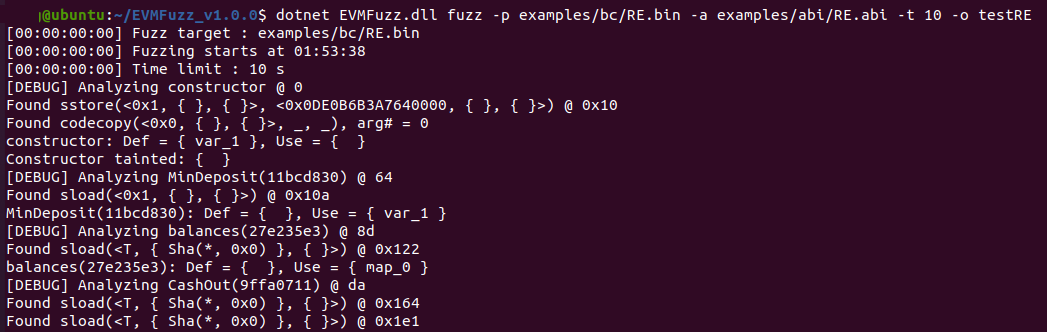
3. During fuzz testing, the data flow of smart contract is analyzed with static analysis and fuzzed by using it. If the Fuzz testing finds a bug, save it to the bug seed.
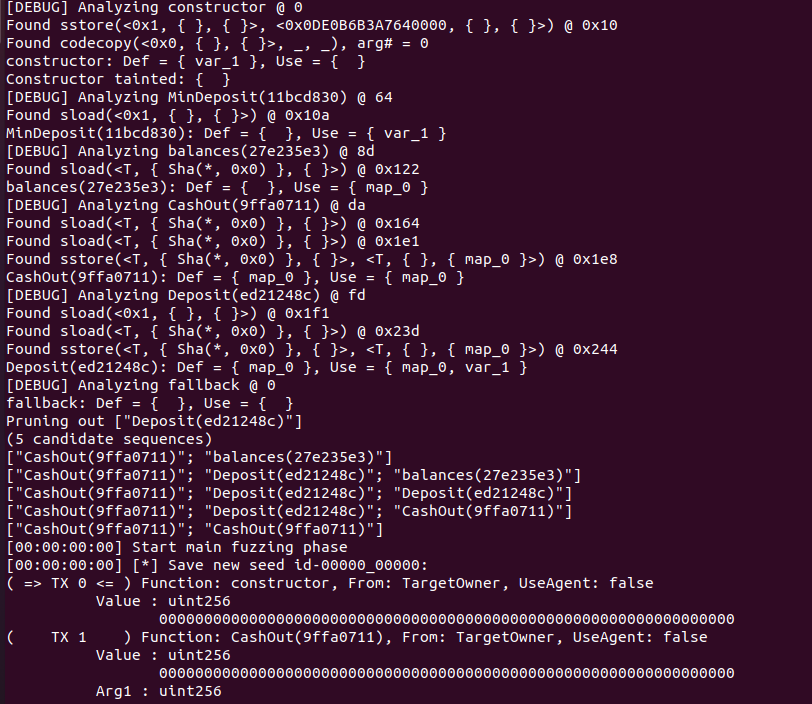
4. When the set time (time limit) has elapsed, the fuzz testing is terminated, and result is printed. - 'Total Executions' is the total number of executions of the target program (contract). - 'Deployment failures' is the number of times the deploy failed when trying to fuzz.
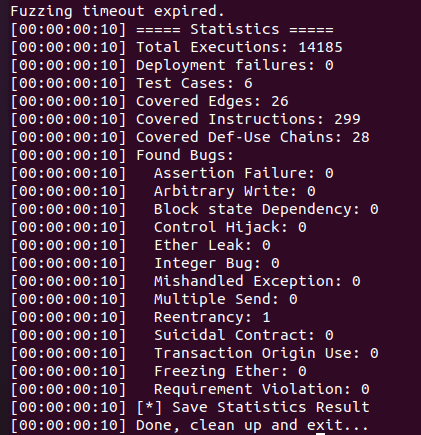
5. When Fuzz testing is finished, the output(testRE) folder is created. The result statistics, bug folder, and testcase folder are created in it. The bug folder contains the input that caused bugs, and the testcase folder contains the input that increases the edge coverage during fuzzing.
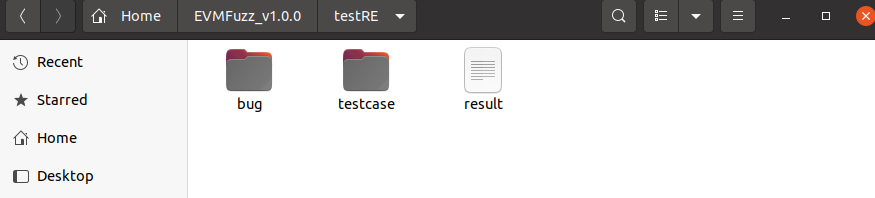
1. After fuzz testing, open the output folder and upload the log file to IOTCUBE for online fuzzing details visualization.
The log file to be uploaded to IOTCUBE was made based on the fuzzing test result, and can be created using a python script.
$ python3 report.py testRELog file: testRE(outputdir)/EVMFuzzReport_XXXX.json
2. IOTCUBE automatically proceeds to the result page when the file (logfile) upload is completed.
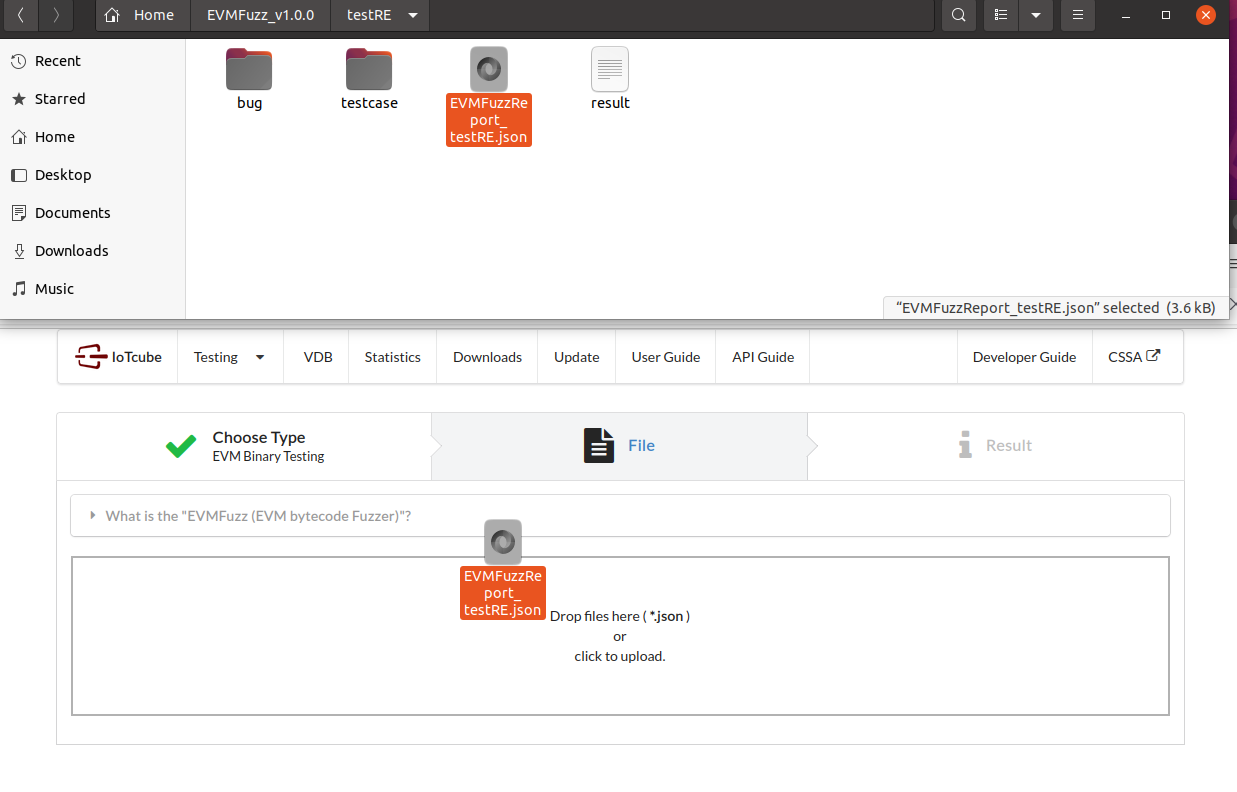
3. Visualization details are available online on IOTCUBE.
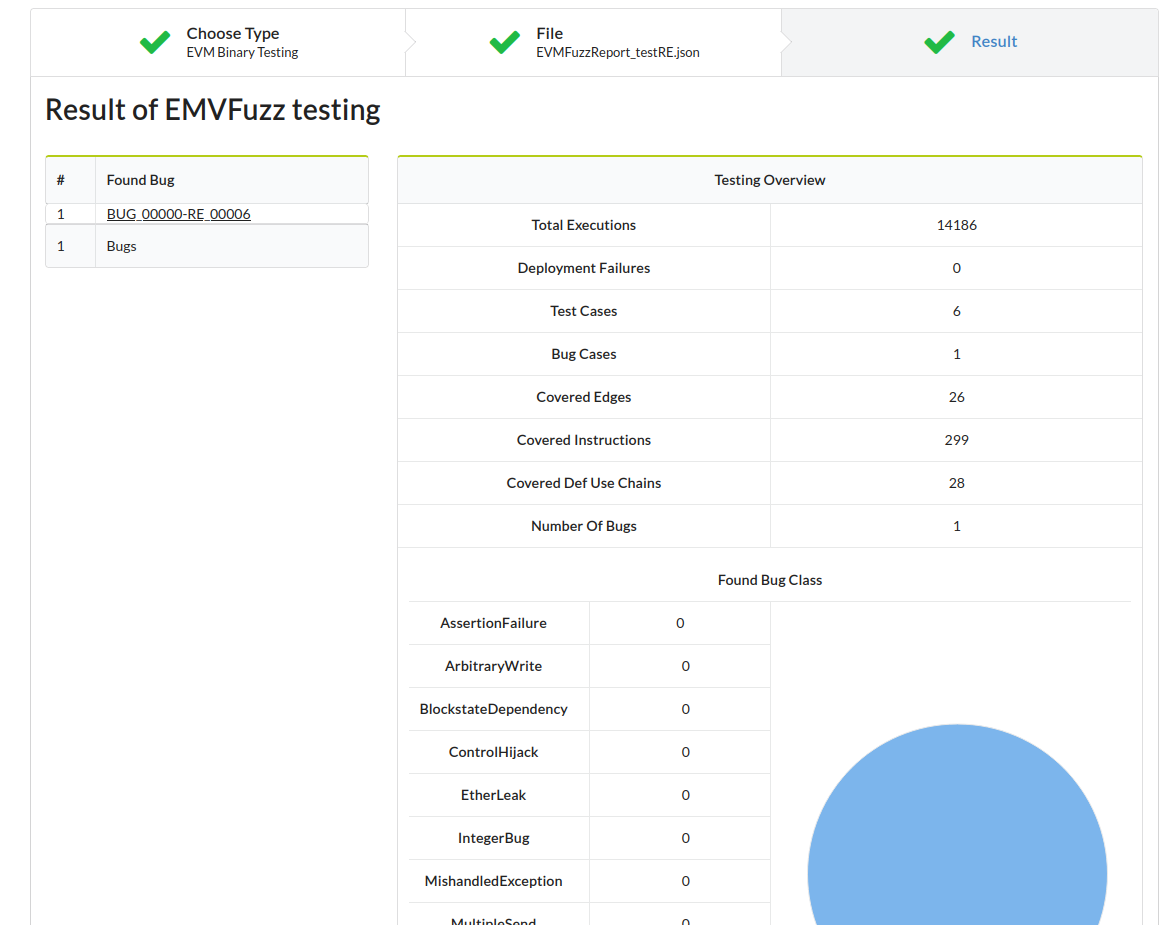
4. Each bug case details can be viewed by clicking on the Found bug's name.