Vulnerable file(PoC) aided mutational file fuzzer(Pfuzz) is a vulnerability-guided directed fuzzer for bug discovery. Fuzzing executions are guided to vulnerable paths using known paths acquired by buggy files. It uses any type of input for testing a binary but prefers buggy files that produce any crash. It automatically tests inputs (dry-run) provided by users to check whether they produce a crash, and they are called buggy files. The pfuzz prioritizes the buggy inputs to generate test cases and they are evolved by checking highly frequent bytes that are flipped when producing crashes.
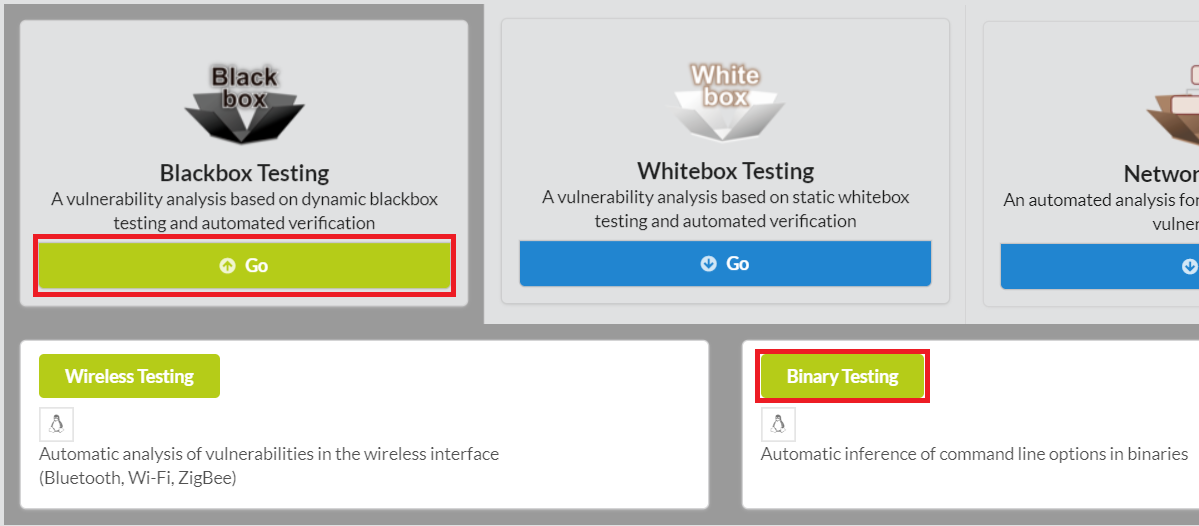
To begin pfuzz, click Blackbox Testing in the main page of IoTcube, then proceed by clicking Binary Testing.
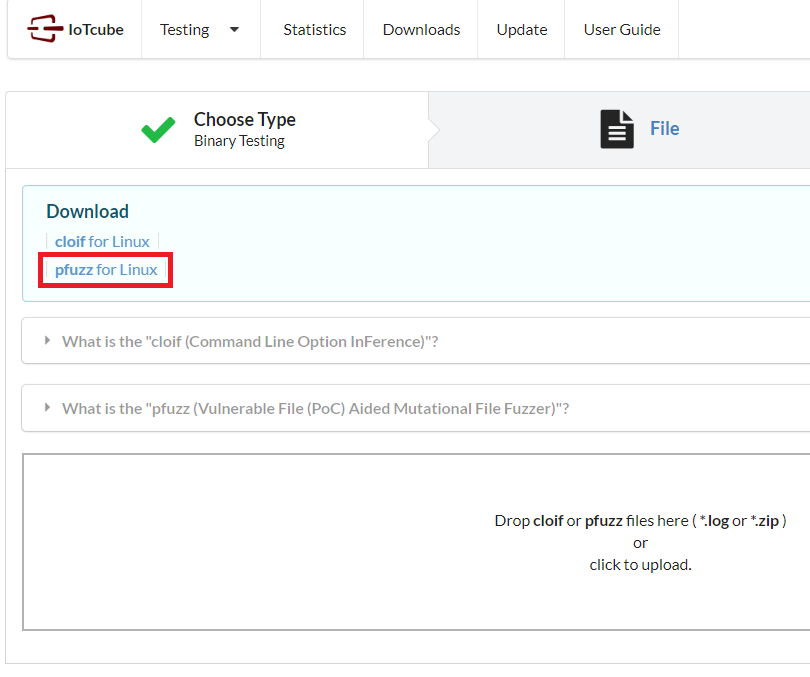
In the following page, download pfuzz, which is a zip containing main program.
Linux (64 bit) is supported at the moment.
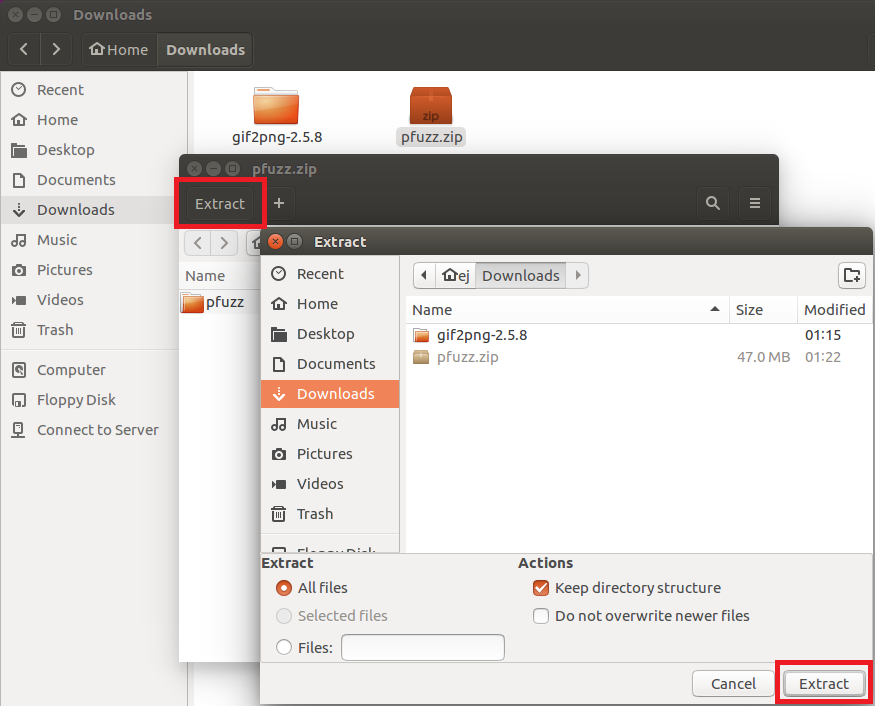
Please unzip the package "pfuzz.zip" downloaded in the previous step with your own unarchiving tool.
After unzipping the package, you will have several files for pfuzz.
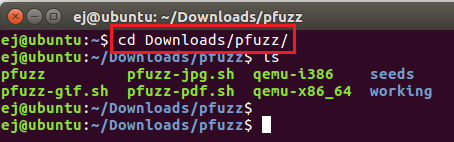
Open terminal and go to pfuzz directory.
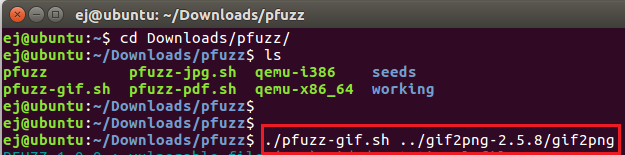
Then run pfuzz. You have to specify a target binary by writing path next to the command.
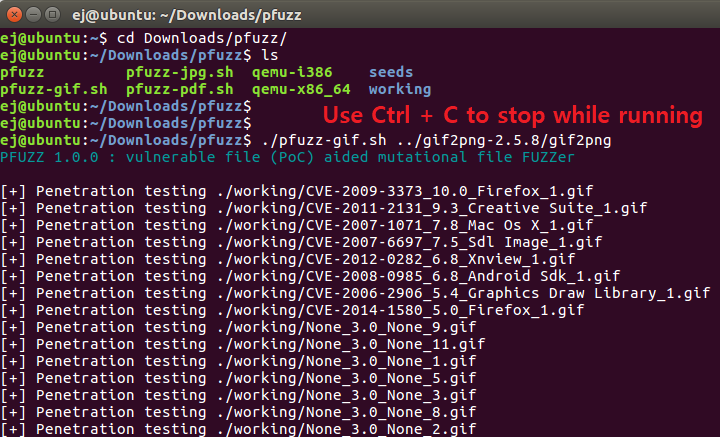
As the application runs,
You can allow it to run for as much time as you want.
If you want to stop the fuzzing process, press Ctrl + C
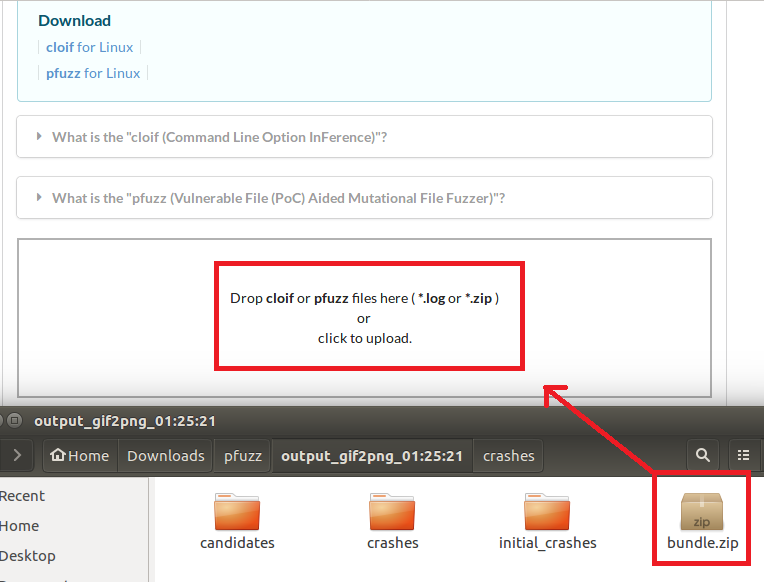
Find the bundle.zip file created in the output path (/pfuzz/output_[target_binary]/) and upload it to IoTcube!