Wi-Fi Fuzzer (wfuzz) is a tool for discovering implementation errors of 802.11-enabled devices by using smart and stateful fuzzing techniques. It automatically generates possible vulnerable inputs regarding the 802.11 protocol specification to find unknown vulnerabilities in the 802.11 stack of target devices.
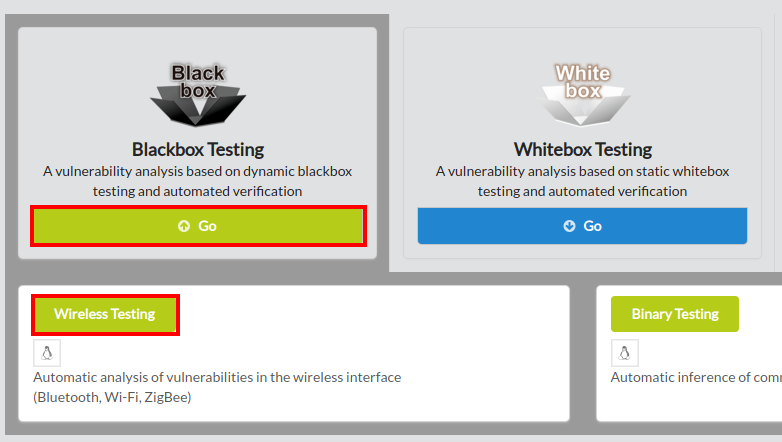
To begin wfuzz, click Blackbox Testing on the main page of IoTcube, and proceed by clicking Wireless Testing.
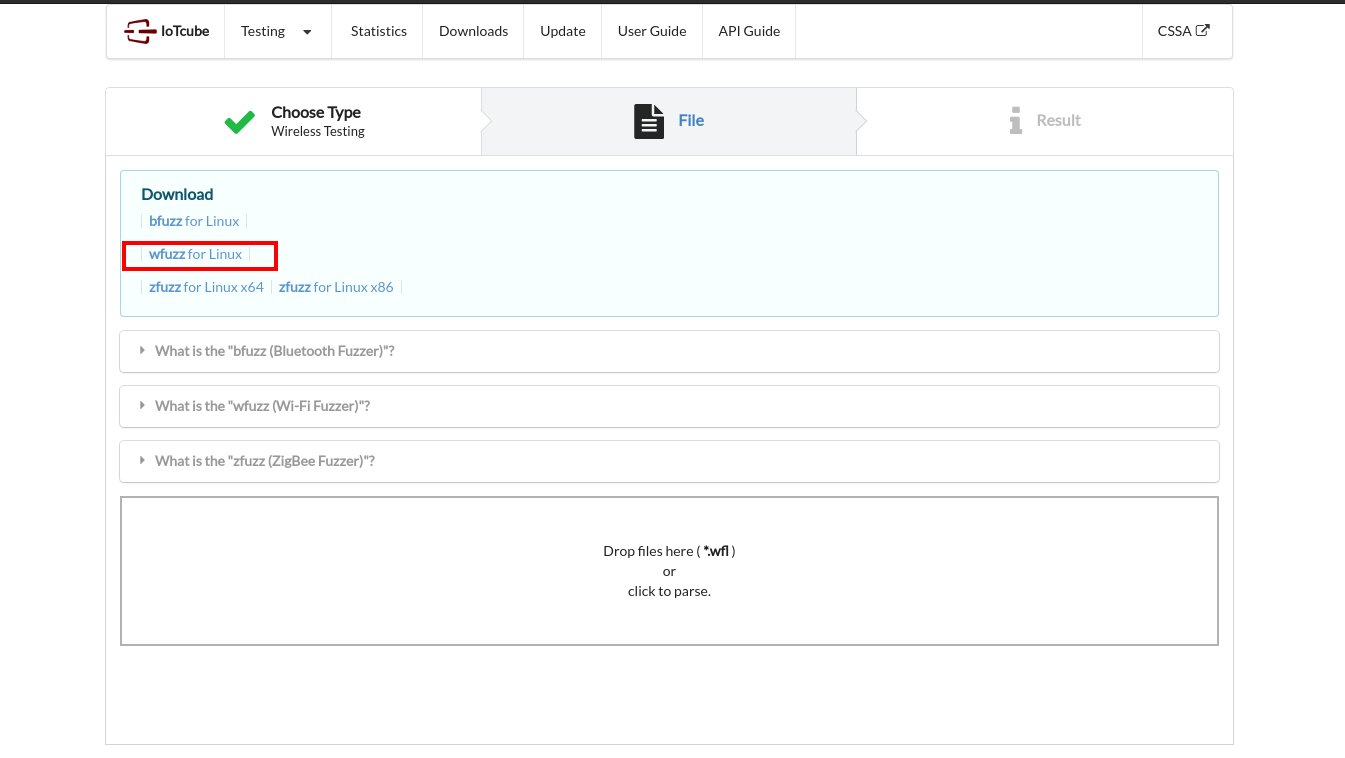
In the following page, download wfuzz, which is a zip containing the main fuzzer and packet database.
Linux (32 and 64 bit) is supported at the moment.
Please unzip the package "wfuzz.zip" downloaded in the previous step with your own unarchiving tool.
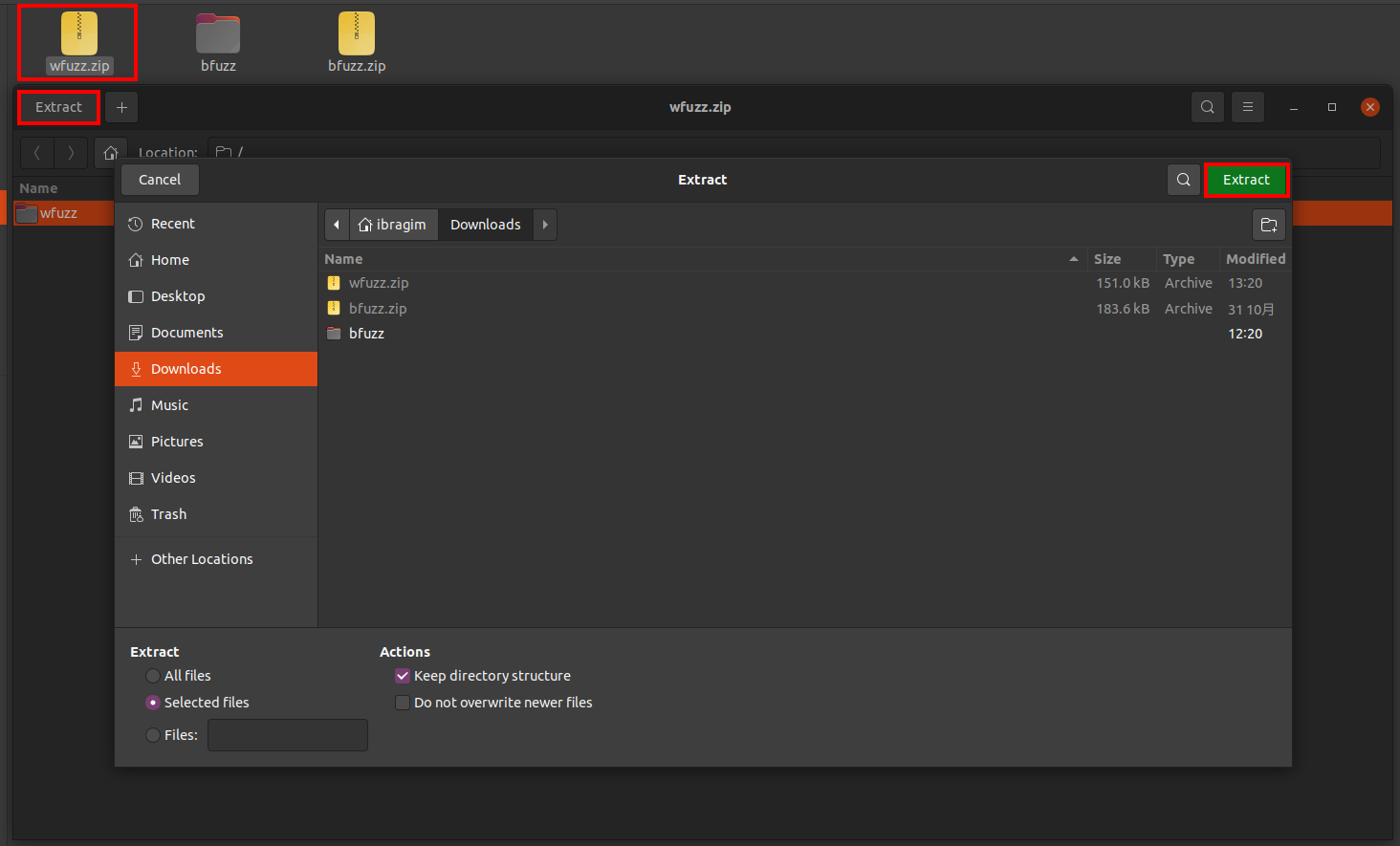
After unzipping the package, you will have several files for fuzzing.
Open terminal, go to the wfuzz directory and run config_wfuzz.sh with sudo command(only once).

Then run wfuzz with sudo command.
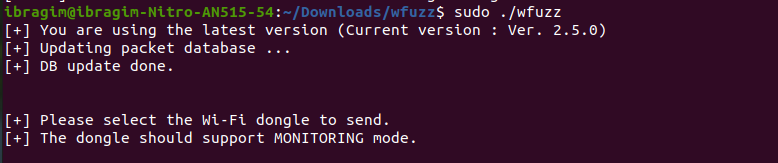
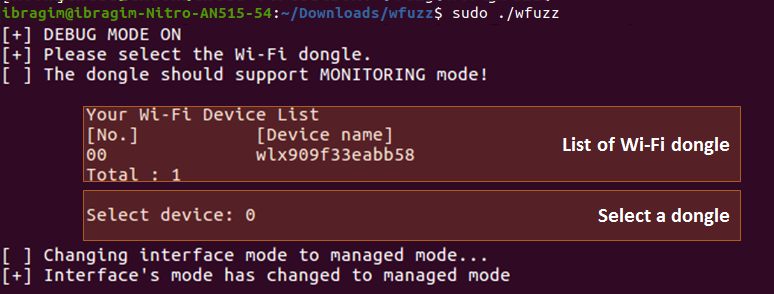
Select a Wi-Fi dongle you've connected.
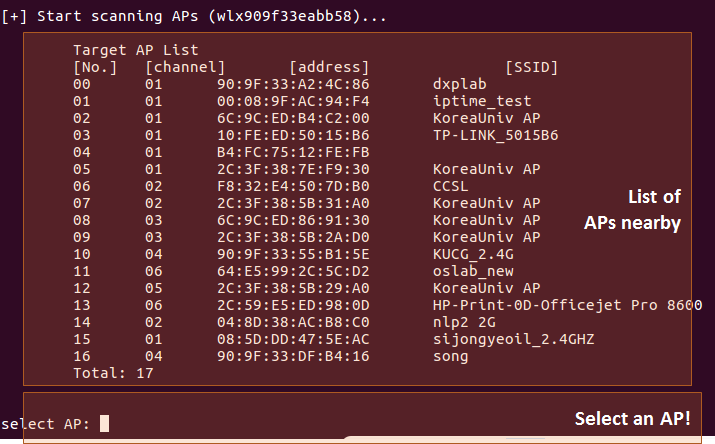
Select any profile of the target device. Then it automatically starts! wfuzz can test private acess points even if the authentication key is not available. If you want to stop the fuzzing process, press Ctrl + C
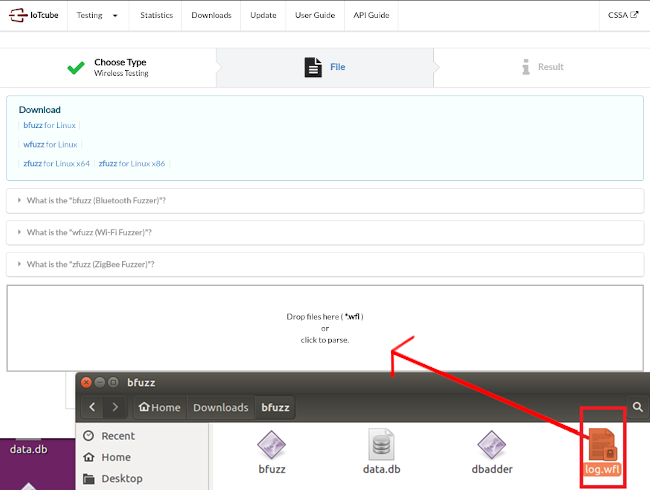
Find the log.wfl file created in the same directory as the fuzzing program and upload it to IoTcube.